
Is Your Booking Page Quietly Leaving Money on the Table?
Let's be honest: most of us think of the booking page as a glorified calendar. A family picks a time, the slot fills, and we save the real selling for weeks later when the proofs go out.
But think about who's on that page. A parent who just picked a date. A senior already mentally planning three outfits (it'll be five). Someone who has decided, right now, that this session matters. That's not a scheduling moment. That's the most excited they'll be about your studio all season, and it's a shame to just hand them a time slot and “say see you soon”.
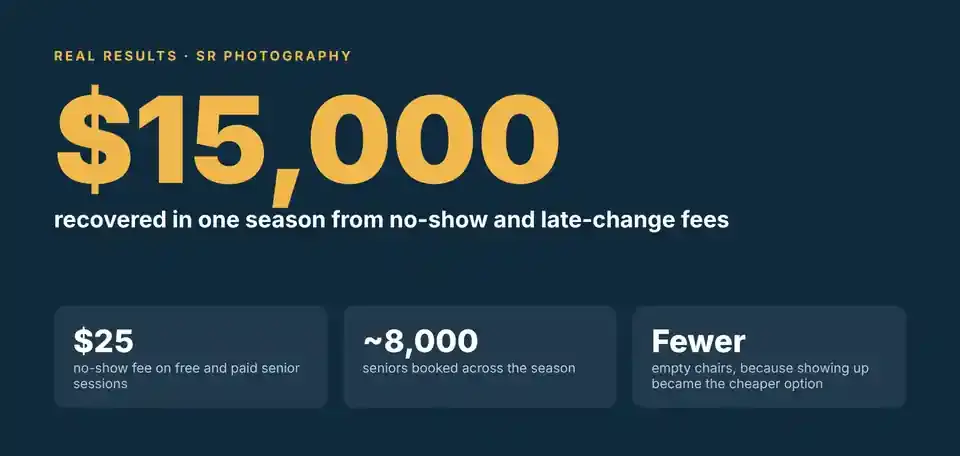
The studios that treat booking as a sales and policy moment see it in their numbers. Stuart-Rodgers – our BETA and Testing studio, recovered about $15,000 in a single season from no-show and late-change fees alone. A very large studio we work with reported a decrease of not show seniors from 12% to near ZERO! Yet another brought in $20,000 of new revenue from one 500 senior account by pre-selling a digital package at booking, and their after shoot orders didn't budge.
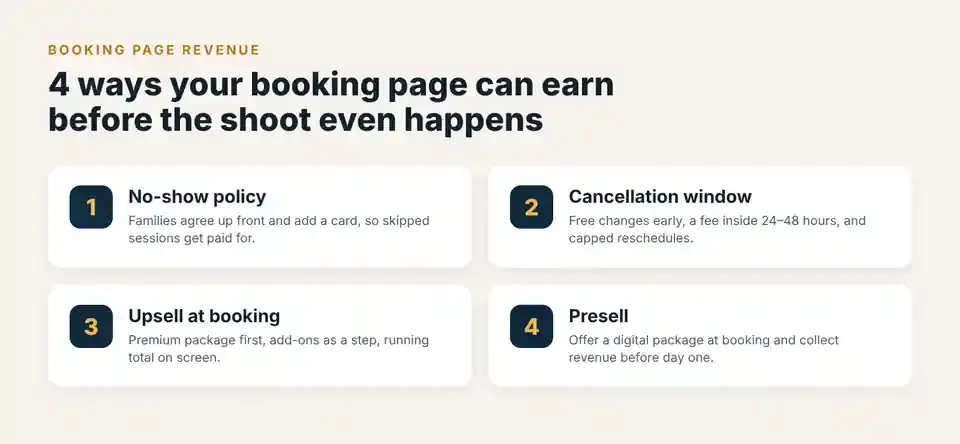
Here are the four revenue generators we see work best for volume studios. Each one ends with a question to poke at your own booking process. And at the end, you can send us your numbers, and we'll tell you what your booking page could be earning. No spreadsheet homework required.
1. A NO-SHOW policy families agree to up front
A free session costs the family exactly nothing to skip. So, shockingly, some of them skip it. Your photographer still showed up, the lights still got set, and the slot sat there empty while someone who actually wanted that time couldn't get it. Multiply that across a fall season and no-shows quietly become one of the biggest hidden costs in a senior or underclass program.
A no-show fee fixes the incentive, but only if you actually collect it. A fee that lives in your terms and conditions and requires someone on your team to chase a family for payment two weeks later? That fee has a long and proud history of never being paid. It needs to be agreed to, with a card on file, at the moment they book.
What good looks like
• Families see the no-show policy on the booking page and agree to it before they confirm.
• A card is collected at booking, even for free sessions.
• The fee is charged automatically when staff mark a session as a no-show.
• Free and paid sessions can be treated differently.
• Staff can waive the fee for a genuine emergency without blowing up the whole policy.
How Airstudio handles it. Airstudio's No Show Policy lets you set a fee and choose whether it applies to free sessions, paid sessions, or both. Families agree to the policy and add a card when they book, and the fee is charged automatically when the session is marked as a no-show. Your policy text shows up on the booking page and in confirmation emails, so nobody can say they didn't see it coming. Set it once as a studio default, then override it for a specific school or subject group when a contract calls for different terms. And yes, staff can waive the fee on any individual session, because sometimes the dog really did eat the car keys.
Real results. SR Photography applies a $25 no-show fee to both free and paid senior sessions. Across roughly 8,000 seniors, that policy (together with its late-change fee) brought in about $15,000 in one season. Even better, the empty-chair problem shrank right along with it. Turns out people show up more when showing up is the cheaper option.
Your question: If a senior skipped their free session tomorrow, would you collect anything, or just quietly mourn the slot?
2. A cancellation and reschedule policy with a clear window
Last-minute cancellations are sneaky. They often cost more than a no-show, because they come with a phone call, a staff member's time and a mad scramble to fill the slot. Unlimited reschedules do the same damage, just in slow motion. A family that moves their session four times hasn't booked one slot. They've borrowed four.
The good news: most families are perfectly happy to follow a reasonable policy. The problem is that most studios either don't have one written down, or have one nobody enforces, because enforcing it means an awkward conversation and nobody got into photography for the awkward conversations.
What good looks like
• Changes made well in advance are free. Changes inside a set window (24 or 48 hours) carry a fee.
• Paid sessions changed inside the window can keep the package price, add-ons included.
• Reschedules are capped, so one family can't hold your calendar hostage.
• Online booking closes far enough ahead of each job for your team to prep the day.
• Different schools or programs can have different terms when their contracts require it.
How Airstudio handles it. The Reschedule / Cancellation Policy gives you three refund rules: always refund, refund depending on timing, or never refund. With Refund depends on timing, changes outside your Hours Before Session window are free, and changes inside it carry either a flat fee or the full package cost (Fee Is Session Package Cost). Add-ons follow the package and are kept inside the fee window. A Reschedule Limit caps how many times someone can move their appointment, and the Job Booking Ends policy closes online booking a set number of hours before each job. Like the no-show policy, every setting can be a studio default, an organization override or a subject group rule. The policy does the awkward conversation for you.
Your question: How many sessions last season were canceled or moved inside 24 hours, and what did each one actually cost you? (Brave studios only.)
3. An UPSELL at the moment of booking
When a senior is choosing a session, they're already comparing options. It's the easiest moment in the whole season to show them the premium package: a longer session, more outfits, that outdoor location they've seen all over Instagram. It's also the perfect time for small extras like retouching, an extra pose or a second outfit.
Here's the psychology in one sentence: after the session, those extras feel like an extra purchase. At booking, they feel like part of planning the shoot. Same offer, very different reaction.
What good looks like
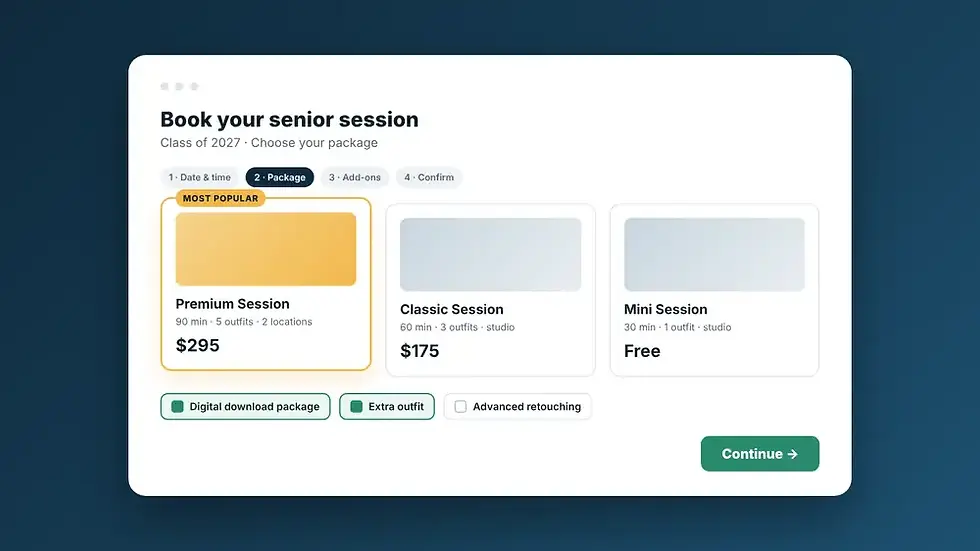
• Your highest-value package is listed first and visually highlighted.
• Every package has a clear description and preview images, so families can actually see the difference.
• Relevant add-ons (retouching, extra outfit, extra pose) appear as a step in booking, with a running total.
• Popular add-ons can be pre-selected.
• Add-on time is built into the schedule automatically, so a successful upsell never turns into an overbooked Tuesday.
How Airstudio handles it. Mark any session package as an Upsell to highlight it as a premium option, and add packages into the order you want families to see them, best option first. Each package can have a description and up to three preview images. Portrait Session Add-Ons get their own step on the booking page, with a price, description and duration. Mark an add-on as Default Selected to pre-tick it. Add-on time is added to the session length, so availability and auto-scheduling reflect the longer slot. Every add-on shows as its own line on the receipt, and coupons don't discount them.
Your question: When a family books with you today, do they see your best package first, or just a very efficient list of times?
4. A presell that turns a free session into a paid order
Saving the best for last. This is the one with the biggest upside: instead of waiting for proofs to make your first sale, offer a product package at booking, before a single photo exists.
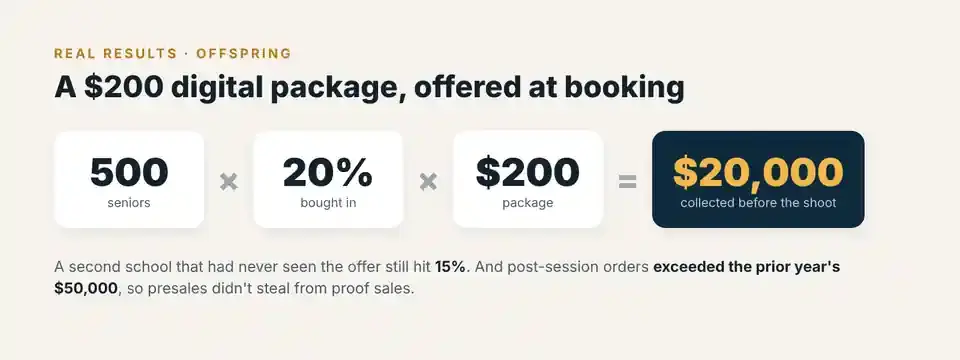
Yes, really. Offspring tested this with seniors. They bundled a $200 digital download package with the complimentary session and offered it at booking. At their first school, 20% of seniors bought in. At the second, a school that had never seen the offer before, 15% did. On one 500-senior account, that worked out to $20,000 in new revenue, collected before anyone said "cheese."
We know what you're thinking: won't that just steal from the orders you'd get later? It didn't. Offspring's post-session orders actually exceeded the prior year's sales of $50,000. They also saved money by skipping third-party retouching fees, digital download fees and commission on the presold packages. More revenue, lower costs, same proof sales. We'll take it.
What good looks like
• A clear, simple presale package (digital downloads are a natural fit) is offered at booking.
• The package is bundled with the session, so the value is obvious.
• Payment is collected at booking, so the revenue lands before the shoot.
• Presale purchases are tied to the subject's session record, so production knows exactly what to deliver.
• You start with one school as a pilot and measure the buy-in rate before rolling it out everywhere.
How Airstudio handles it. Build the presale as its own session package (for example, Senior Session + Digital Download Package), mark it as an Upsell so it's highlighted, and attach it to the subject group alongside the free session. Payment is collected through Stripe at booking, and the purchase lives on the subject's session. Because packages are attached per subject group, you can pilot the offer with one school before rolling it out to every account. Low risk, easy to measure.
Your question: What percentage of your seniors would buy a digital package the day they book? And have you ever actually tested it?
What could your booking page be earning?
Most studios underestimate how much money is sitting in the booking step. We'd love to show you yours, and we promise not to make you do the math. For a sense of scale: 500 seniors × 20% buy-in × $200 package = $20,000, from presales alone.
Tell us a little about your senior season below. Ballpark numbers are completely fine (we know nobody has their exact no-show rate memorized). Our team will run the numbers and send you a personalized estimate of what no-show fees, cancellation windows, upsells and presales could add up to for your studio.
The Booking Revenue Checklist
Run through this before your next booking season opens. Every "no" is money politely walking out the door.
• ☐ Families agree to your no-show policy before they confirm a booking.
• ☐ A card is collected at booking, including for free sessions.
• ☐ No-show fees are charged automatically, not chased by hand.
• ☐ Your cancellation policy has a clear window, and late changes carry a fee.
• ☐ Reschedules are capped.
• ☐ Your premium package is listed first and highlighted.
• ☐ Add-ons appear as a step in booking.
• ☐ You offer at least one presale package at booking.
• ☐ You know what your booking page earned last season.
Got more "no’s” than you'd like? You're in good company, and that's exactly what we're here for.
See how Airstudio turns your booking page into a revenue tool – Book a demo!
Comments